




Why did my ebook's spacing and indents break on Kindle?
Short answer
Kindle ebooks are reflowable, so tabs, repeated spaces, blank lines and fixed font sizes from a Word file collapse or get overridden when the reader changes the text size. Set indents and spacing with paragraph styles, add a page break after each chapter, and check a clean EPUB, DOCX or KPF file in Kindle Previewer.
What it costs with me, Jooneyd: My print + ebook formatting starts at $249 for books up to 120 pages. Fixing a rejected file with me starts from $149, and the first check by email is free. If the design stays the same, a rejected cover is fixed within 12 hours, often in 3 to 6.
Why Word layout breaks on Kindle
A Kindle ebook has no fixed pages. The reader picks the font, the text size and the line spacing, and the text reflows to fit. Tabs, repeated spaces and blank lines used for layout in Word don't survive that.
Kindle Create is one way to fix it, but not the only one. A clean EPUB or DOCX built with paragraph styles works too.
KDP's rules for reflowable text
- Body text uses the default font size (1em) and line height.
- No forced typeface for body text.
- Avoid double-spacing between paragraphs.
- No imposed margins and no non-breaking spaces between words in body text.
- Indents set by paragraph style, no more than 4 ems.
- A page break after each chapter.
Which files to upload
KDP recommends EPUB, DOCX or KPF, the Kindle Create format. MOBI ended on Aug 1, 2021 for reflowable books and on Mar 18, 2025 for fixed layout. Check the file in Kindle Previewer before you publish.
Picture books and other stores
Picture books, comics and cookbooks need fixed layout instead. For kids' books, Kindle Create imports PDF, PNG or JPEG pages with the text already placed in the images. IngramSpark ebooks require EPUB 3.0, with an RGB JPG cover at least 1,873 px on the longest side.
The rules at a glance
| What | The rule | Source |
|---|---|---|
| Body text | Default font size (1em) and line height | Amazon KDP Help |
| Paragraph spacing | Avoid double-spacing between paragraphs | Amazon KDP Help |
| Indents | Set by paragraph style, no more than 4 ems | Amazon KDP Help |
| Recommended formats | EPUB, DOCX, KPF (Kindle Create) | Amazon KDP Help |
| MOBI | Ended Aug 1, 2021 for reflowable books and Mar 18, 2025 for fixed layout | Amazon KDP Help |
| Kindle cover | Ideal 2,560 × 1,600 px, at least 500 px on the longest side; 300 DPI, RGB, JPEG preferred | Amazon KDP Help |
| IngramSpark ebook | EPUB 3.0; RGB JPG cover at least 1,873 px on the longest side | IngramSpark Help |
| ISBN | Not needed for a KDP ebook | Amazon KDP Help |
Checked 27 October 2026 on the stores’ own help pages.
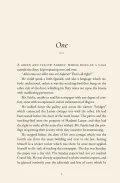
Laying out a Word file with tabs, spaces and blank lines instead of paragraph styles.
Need it done?
I build clean ebooks that read well on Kindle and every other store. Book formatting from $249.
Related answers
I was quoted $2,000 to format my book. Is that the going rate?What interior formatting costs for print and ebook, why a $2,000 quote can be normal, and when doing it yourseWhy does KDP say content is outside the margins when nothing is there?Why KDP flags content outside the margins, the minimum gutter for your page count, and how to fix the PDF so iDo I need to buy an ISBN for KDP and IngramSpark?Free KDP and IngramSpark ISBNs only work on their own platform. When to own your ISBN and where to get it in tDo you really need a copy editor and a proofreader?The difference between copy editing and proofreading, when each happens, whether you need both, and publishedSources
- Amazon KDP Help: Text guidelines (reflowable)
- Amazon KDP Help: Supported eBook formats
- Amazon KDP Help: MOBI FAQ
- Amazon KDP Help: Kindle Create for kids' books
- Amazon KDP Help: eBook cover guidelines
- IngramSpark File Creation Guide (8.24.26)
- Amazon KDP Help: What is an ISBN and imprint?